
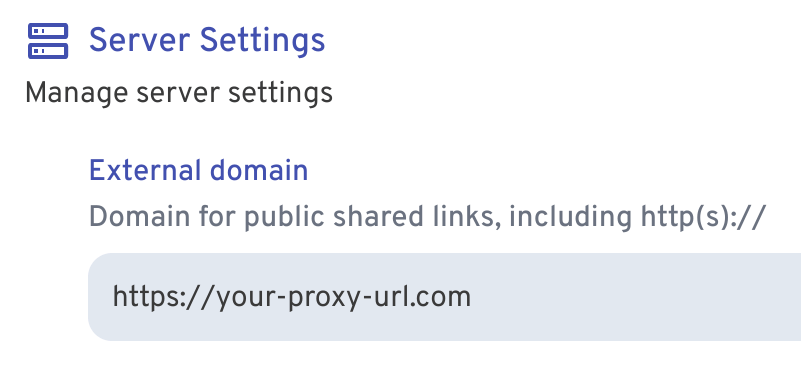
 Now whenever you share an image or gallery through Immich, it will automatically create the correct public path for you.
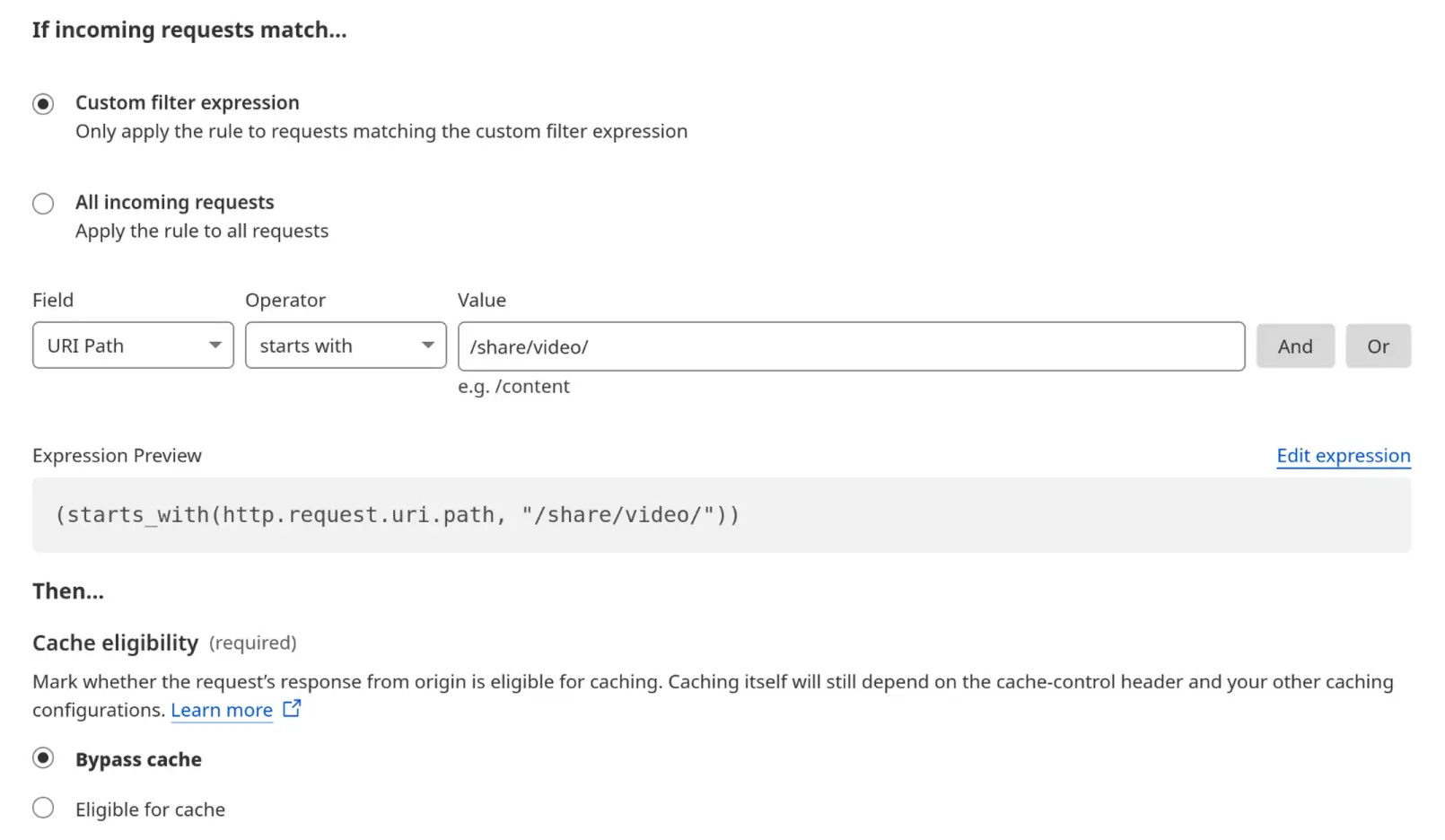
🚨 **IMPORTANT**: If you're using Cloudflare, please make sure to set your `/share/video/*` path to Bypass Cache, otherwise you may
run into video playback issues. See [Troubleshooting](#troubleshooting) for more information.
#### Running alongside Immich on a single domain
Because all IPP paths are under `/share/...`, you can run Immich Public Proxy and Immich on the same domain.
See the instructions here: [Running on a single domain](./docs/running-on-single-domain.md).
### Install with Kubernetes
[See the docs here](docs/kubernetes.md).
## How to use it
Other than the initial configuration above, everything else is managed through Immich.
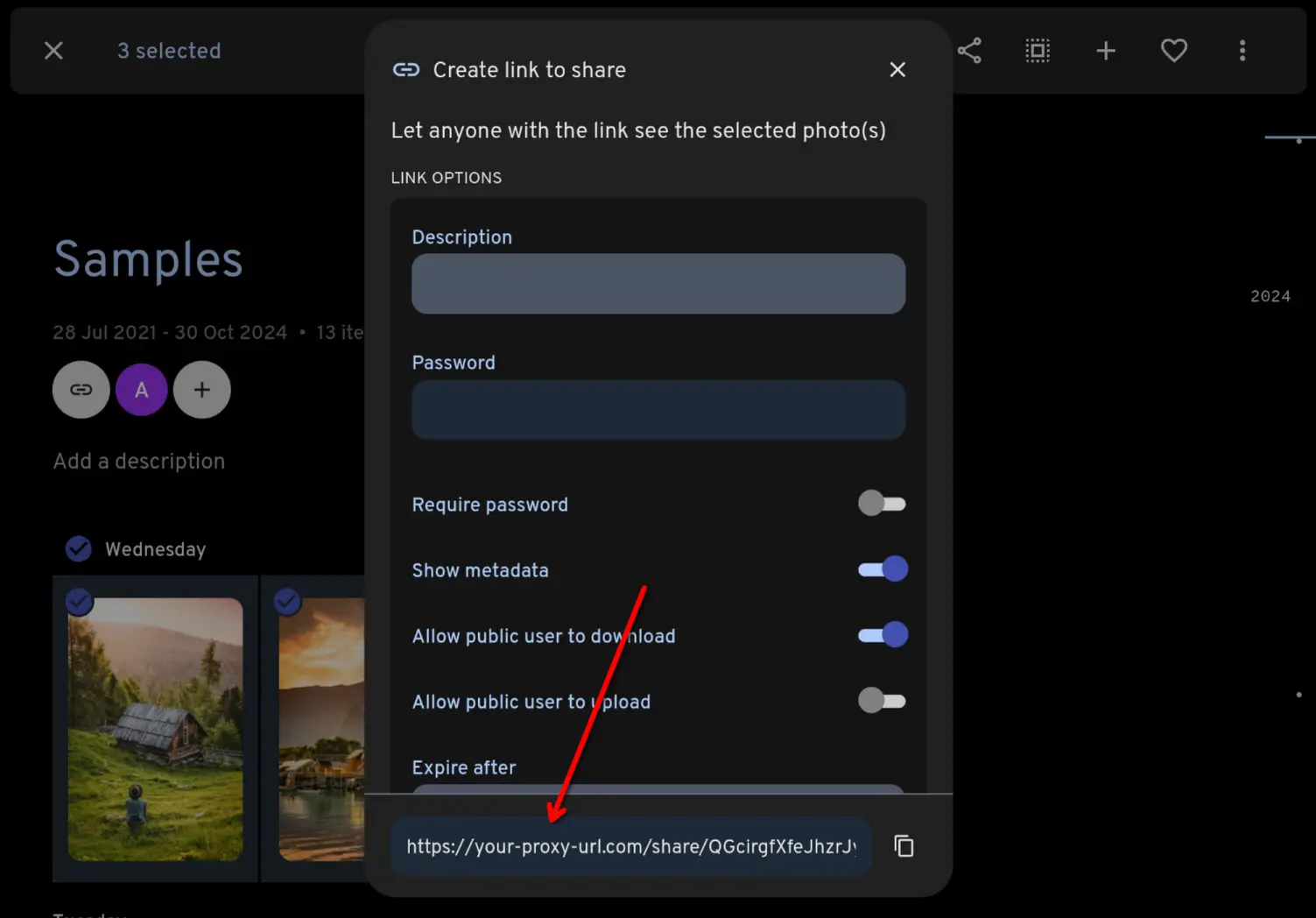
You share your photos/videos as normal through Immich. Because you have set the **External domain** in Immich settings
to be the URL for your proxy app, the links that Immich generates will automaticaly have the correct URL:
 ## How it works
When the proxy receives a request, it will come as a link like this:
```
https://your-proxy-url.com/share/ffSw63qnIYMtpmg0RNvOui0Dpio7BbxsObjvH8YZaobIjIAzl5n7zTX5d6EDHdOYEvo
```
The part after `/share/` is Immich's shared link public ID (called the `key` [in the docs](https://immich.app/docs/api/get-my-shared-link)).
**Immich Public Proxy** takes that key and makes an API call to your Immich instance over your local network, to ask what
photos or videos are shared in that share URL.
If it is a valid share URL, the proxy fetches just those assets via local API and returns them to the visitor as an
individual image or gallery.
If the shared link has expired or any of the assets have been put in the Immich trash, it will not return those.
All incoming data is validated and sanitised, and anything unexpected is simply dropped with a 404.
## Configuration
See **[the configuration docs](docs/configuration.md)** for the full reference.
## Troubleshooting
### Video playback
If you're using Cloudflare and having issues with videos not playing well, make sure your `/share/video/` paths are set to bypass cache.
I ran into this issue myself, and found [some helpful advice here](https://community.cloudflare.com/t/mp4-wont-load-in-safari-using-cloudflare/10587/48).
 I use Linux/Android, so this project is tested with BrowserStack for Apple/Windows devices.
### Can't reach Immich using `localhost:2283`
This is a normal Docker thing, nothing to do with IPP.
From inside a Docker container, you can't reach another container using `localhost`. You need to use a Docker network IP or your server's IP address.
[Here's a guide on connecting Docker containers](https://dionarodrigues.dev/blog/docker-networking-how-to-connect-different-containers).
### IPP logs "Unable to reach Immich", but `curl` inside the container works
If IPP can't connect to Immich even though the container clearly can, you'll see this in the logs:
```
Unable to reach Immich on http://immich_server:2283
From the server IPP is running on, see if you can curl to http://immich_server:2283/api/server/ping and receive a JSON result.
```
yet running that same `curl` from a shell inside the container succeeds:
```
/app $ curl http://immich_server:2283/api/server/ping
{"res":"pong"}
```
This happens with both Docker Compose service names (like `immich_server`) and hostnames from a local DNS
resolver (for example an AdGuard Home or dnsmasq CNAME rewrite). It is a quirk of the musl libc used by the
`node:alpine` base image, not IPP itself.
Node's `fetch` asks for the IPv4 (A) and IPv6 (AAAA) records at once. If your resolver answers the AAAA query
with `NXDOMAIN` instead of the correct empty `NOERROR`, musl fails the whole lookup - even though the IPv4
address is valid - and IPP reports the connection as failed. `curl` and glibc (the non-alpine `node` image)
tolerate this, which is why curl works and this only shows up here. The underlying error, hidden behind the log
message above, is `getaddrinfo ENOTFOUND`.
The reliable fix is to disable IPv6 for the container so only the IPv4 lookup happens. Add the `sysctls` block
to your service in `docker-compose.yml`:
```yaml
services:
immich-public-proxy:
image: alangrainger/immich-public-proxy:latest
# ...your existing config...
sysctls:
- net.ipv6.conf.all.disable_ipv6=1
- net.ipv6.conf.default.disable_ipv6=1
```
Alternatively, point `IMMICH_URL` at Immich's IP address (a numeric address skips DNS resolution entirely), or
fix your resolver to return an empty `NOERROR` (NODATA) rather than `NXDOMAIN` for the missing AAAA record.
See issues [#203](https://github.com/alangrainger/immich-public-proxy/issues/203) and
[#263](https://github.com/alangrainger/immich-public-proxy/issues/263) for the full investigation.
## Feature requests
You can [add feature requests here](https://github.com/alangrainger/immich-public-proxy/discussions/categories/feature-requests?discussions_q=is%3Aopen+category%3A%22Feature+Requests%22+sort%3Atop),
however my goal with this project is to keep it as lean as possible.
Due to the sensitivity of data contained within Immich, this project optimises for auditability: the code
stays small enough that someone with coding experience can review it for security-relevant behavior.
The most basic rule for this project is that it has **read-only** access to Immich.
Things that will not be considered for this project are:
- Anything that modifies Immich or its files in any way. If it requires an API key or privileged accesss, it won't be considered as a new feature.
- Uploading photos (see above).